
ESP32 - Classic Bluetooth and Bluetooth Low Energy
Overview
This tutorial demonstrates how to implement wireless communication between the ESP32 and the DIYables Bluetooth App using either Classic Bluetooth or Bluetooth Low Energy (BLE). The ESP32 features integrated Bluetooth capabilities, eliminating the need for external Bluetooth modules.
The ESP32 provides native support for both Classic Bluetooth and BLE protocols, enabling direct connectivity to the DIYables Bluetooth App on Android and iOS devices without additional hardware requirements.
Key Information: The ESP32 supports dual Bluetooth modes — both Classic Bluetooth and BLE (Bluetooth Low Energy). The DIYables Bluetooth App provides full support for Classic Bluetooth and BLE on Android platforms, with BLE support on iOS. Users can select the appropriate protocol based on their platform requirements and project specifications.
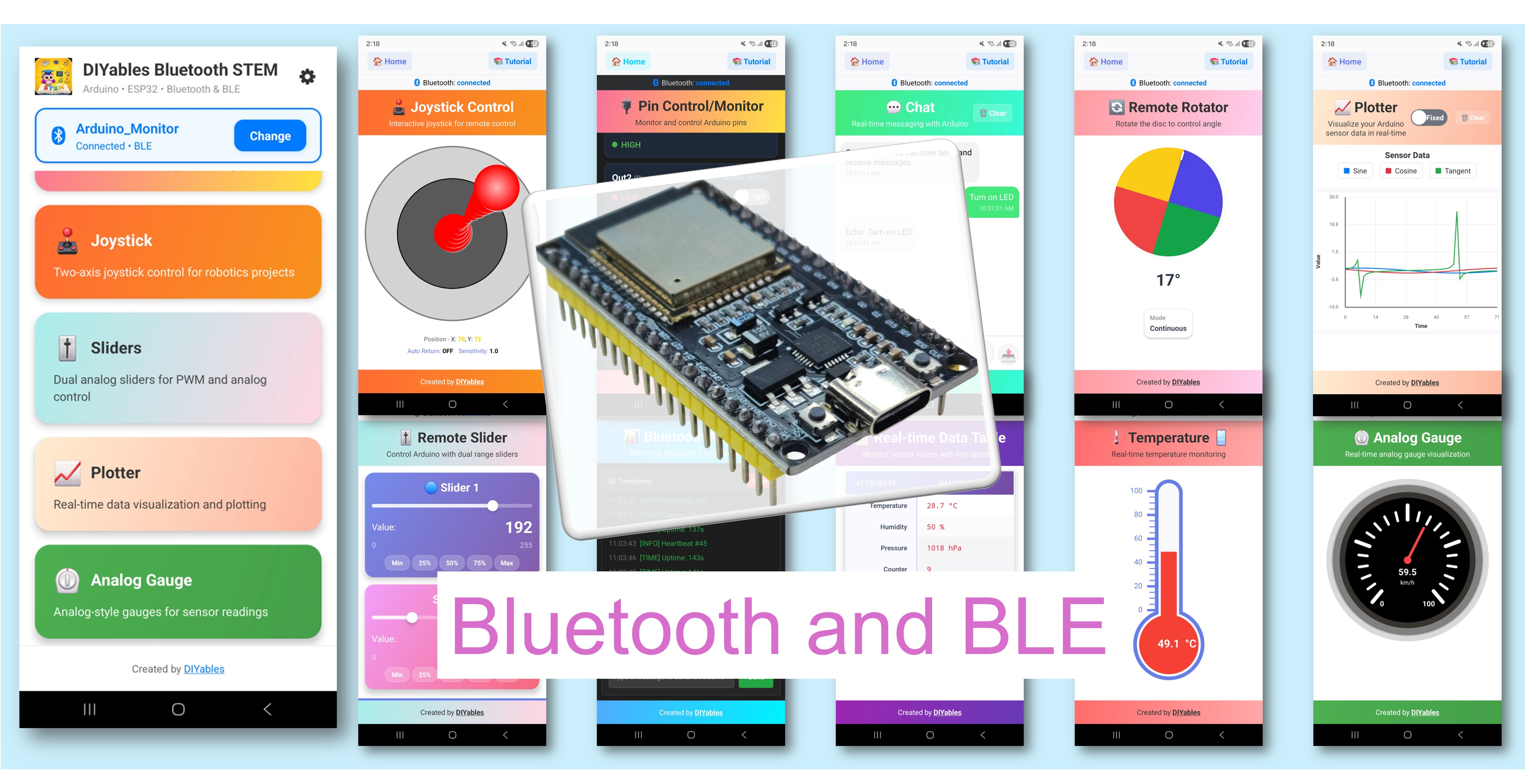
Features
- Dual Protocol Support: Implements both Classic Bluetooth and BLE protocols for maximum compatibility
- Wireless Range: Provides wireless communication up to 10 metres
- Multi-Platform Compatibility: Supports both Android and iOS operating systems
- Flexible Connection Methods: Classic Bluetooth uses traditional pairing; BLE offers automatic connection
- Comprehensive Widget Library: Includes sliders, joystick, monitor, plotter, gauge, temperature display, chat, table, rotator, and additional interface components
- Power Efficiency Options: BLE mode optimized for low-power applications; Classic Bluetooth provides broader device compatibility
- Simple Integration: Single library installation manages all communication protocols
Hardware Used In This Tutorial
Or you can buy the following kits:
| 1 | × | DIYables ESP32 Starter Kit (ESP32 included) | |
| 1 | × | DIYables ESP32 S3 Starter Kit (ESP32 S3 included) | |
| 1 | × | DIYables Sensor Kit (18 sensors/displays) |
Software Setup
Quick Instructions
Follow these procedures to configure the development environment:
- For initial ESP32 setup, consult the ESP32 getting started guide.
- Connect the ESP32 board to the computer via USB cable.
- Launch the Arduino IDE.
- Select the ESP32 board and corresponding COM port.
Install Board Core
- Navigate to Tools Board Boards Manager...
- Search for "esp32"
- Install esp32 by Espressif Systems
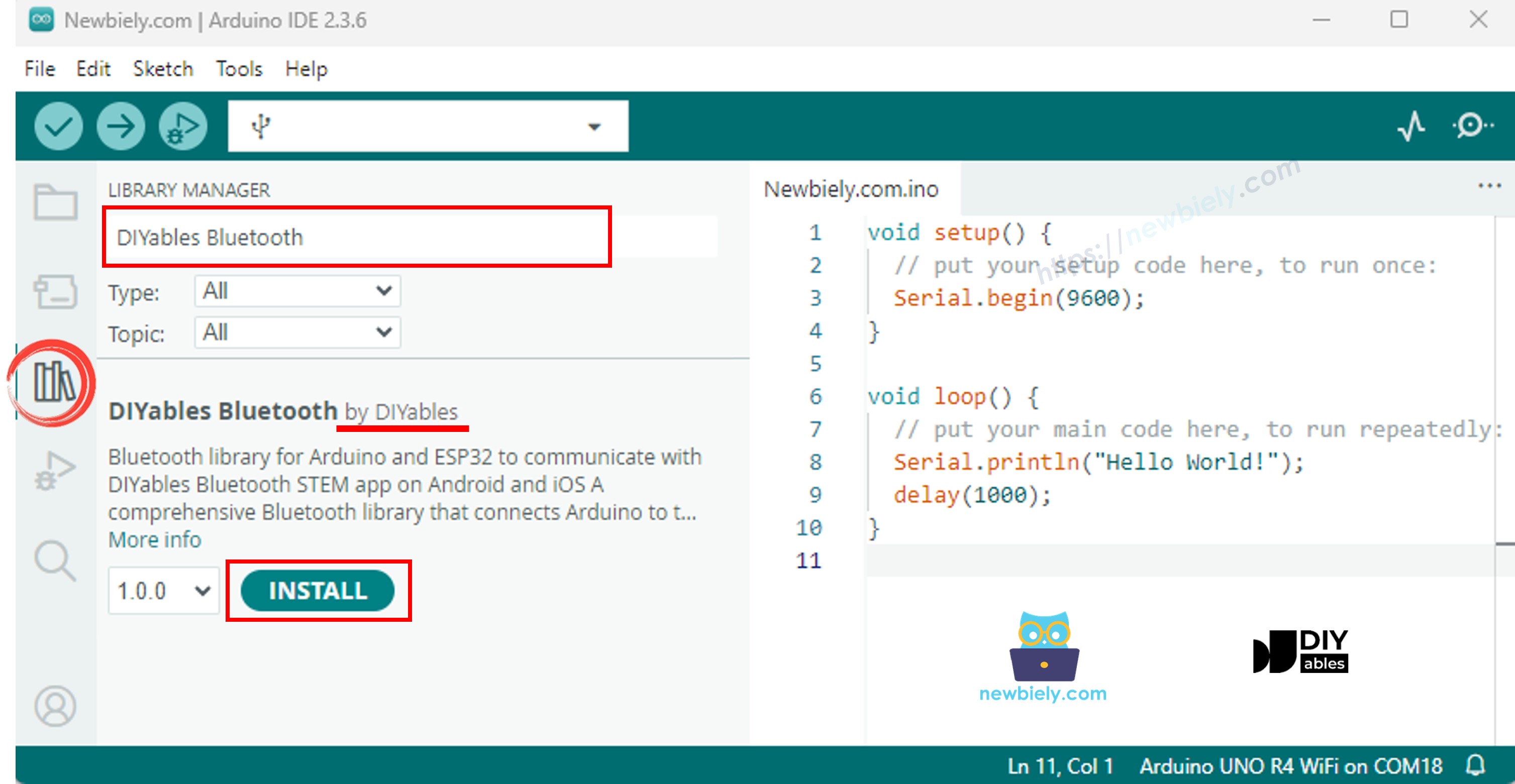
Install DIYables Bluetooth Library
- Access the Libraries icon in the Arduino IDE left sidebar.
- Search for "DIYables Bluetooth" and locate the DIYables Bluetooth library by DIYables
- Click Install to add the library
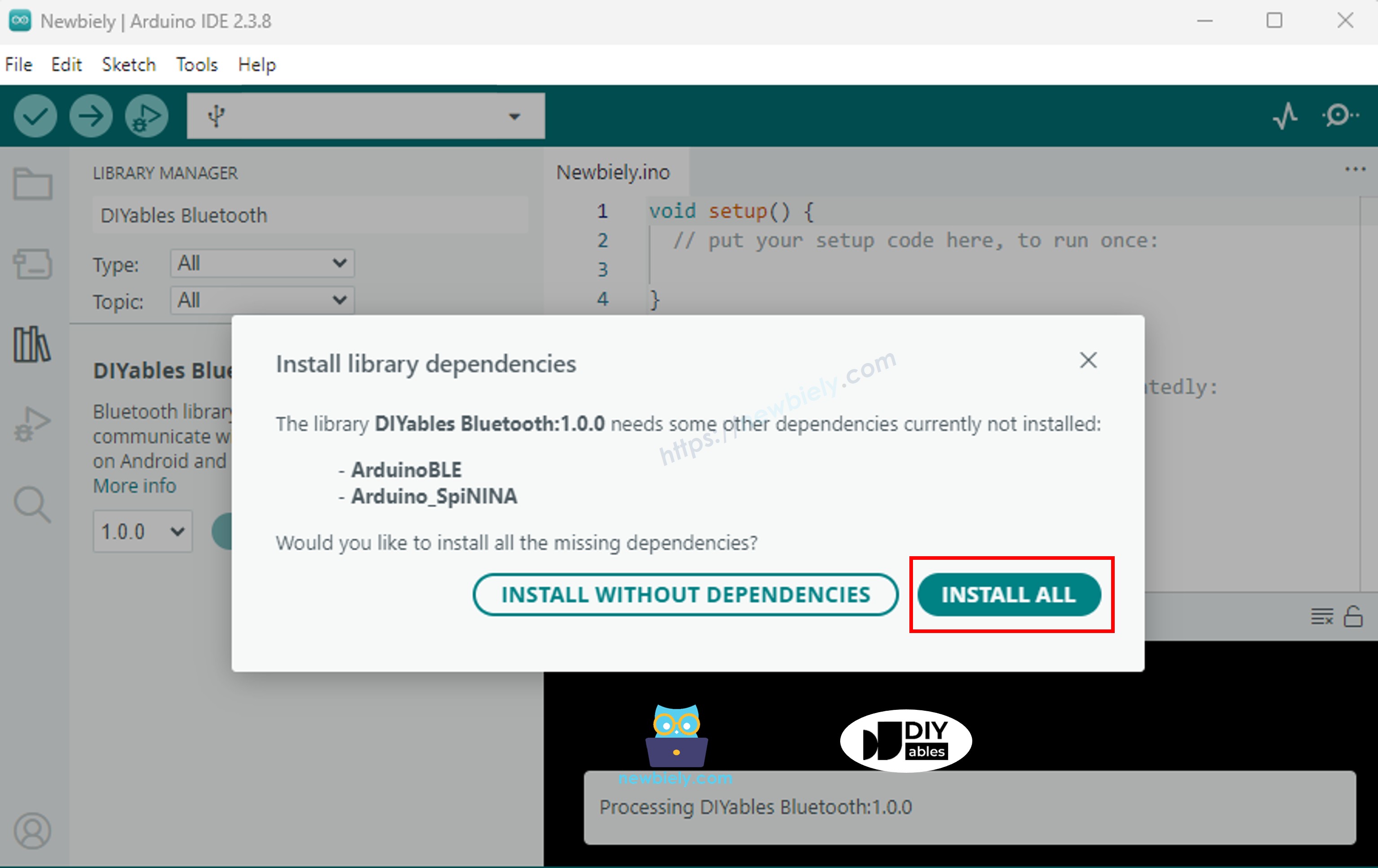
- When prompted, install the required library dependencies
- Click Install All to complete the installation.
Mobile App
Platform Compatibility: The DIYables Bluetooth App supports both Classic Bluetooth and BLE on Android platforms, with BLE support on iOS. The ESP32's dual-mode capability allows protocol selection based on platform requirements. Android devices support both Classic Bluetooth and BLE modes. iOS devices require BLE mode. BLE connections establish automatically without manual pairing procedures.
- Launch the DIYables Bluetooth App
- Grant the following permissions when requested:
- Nearby Devices permission (Android 12+) / Bluetooth permission (iOS) - Required for Bluetooth device scanning and connection
- Location permission (Android 11 and below only) - Required by Android system for Bluetooth device scanning
- Verify Bluetooth is enabled in device settings
- Tap the Connect button on the home screen to initiate device scanning.
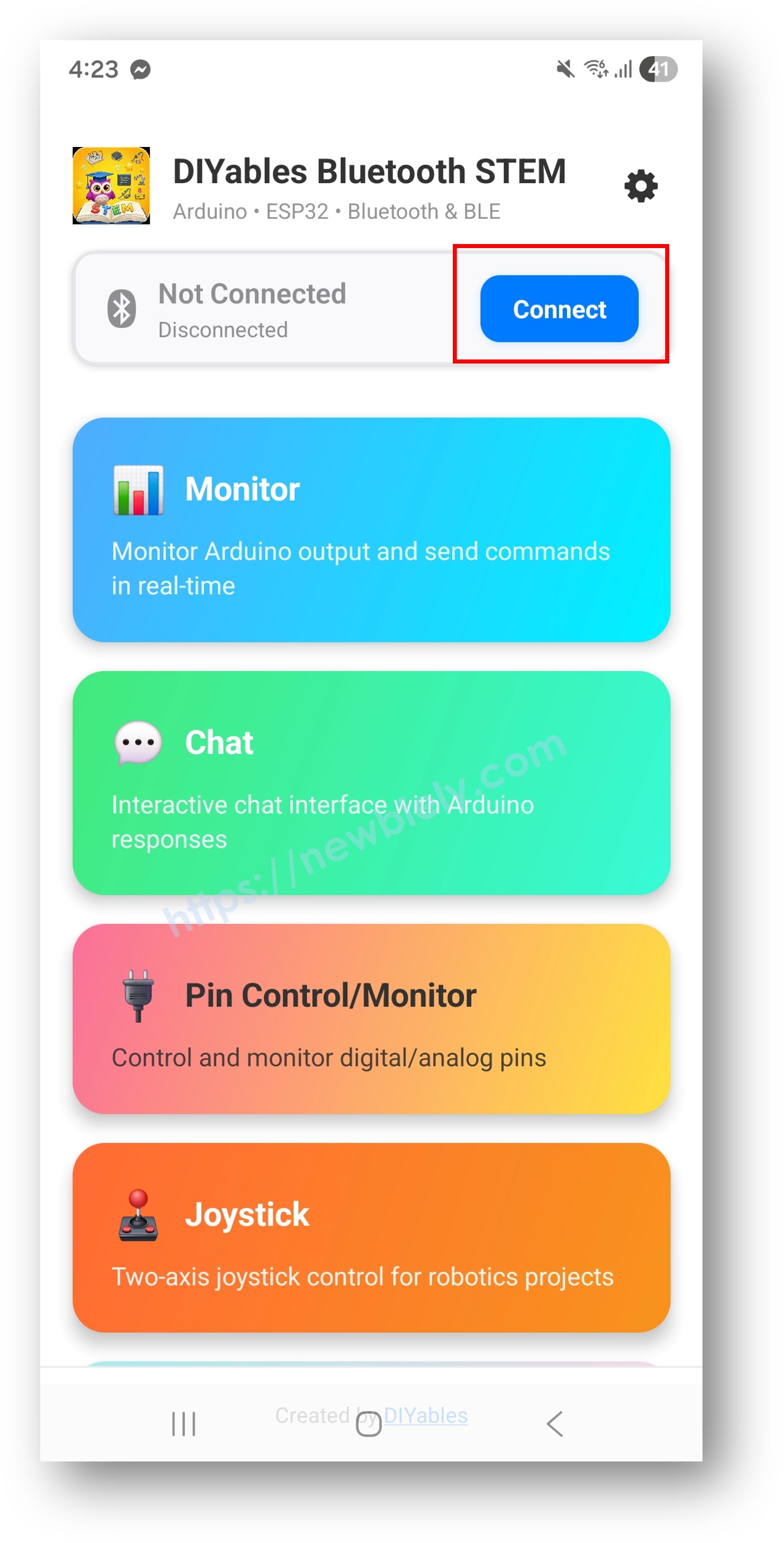
- Select the ESP32 device from the scan results to establish connection.
Examples
The ESP32 supports both Classic Bluetooth and BLE protocols. Select the appropriate implementation based on project requirements. All examples are compatible with ESP32 hardware.
Classic Bluetooth Examples (Android Only) and BLE Examples (Android & iOS)
- ESP32 - Bluetooth Slider - Control slider values
- ESP32 - Bluetooth Pin Control - Control digital output pins
- ESP32 - Bluetooth Monitor - Wireless serial communication
- ESP32 - Bluetooth Plotter - Real-time data visualization
- ESP32 - Bluetooth Analog Gauge - Analog gauge display
- ESP32 - Bluetooth Temperature - Temperature and humidity monitoring
- ESP32 - Bluetooth Joystick - 2D joystick input
- ESP32 - Bluetooth Rotator - Rotary control input
- ESP32 - Bluetooth Chat - Text message communication
- ESP32 - Bluetooth Table - Tabular data display
- ESP32 - Bluetooth RTC - Real-time clock synchronization
- ESP32 - Bluetooth Multiple Apps - Multiple widget integration
Troubleshooting
| Symptom | Probable Cause | Resolution | |
|---|---|---|---|
| Device not visible during app scanning | Incorrect Bluetooth mode or firmware not running | Verify code uses correct Bluetooth mode (Classic or BLE) and ESP32 is executing | |
| SerialBT.begin() or BLE.begin() fails | Board core or library incompatibility | Install ESP32 board core by Espressif Systems via Boards Manager | |
| Connection established but no data transfer | Outdated DIYables library | Update DIYables Bluetooth library to latest version via Library Manager | |
| Compile error | BluetoothSerial.h or BLEDevice.h not found | DIYables Bluetooth library not installed | Install DIYables Bluetooth library via Library Manager |
| Compile errors related to board selection | Incorrect board selected or core missing | Select ESP32 board and install esp32 core by Espressif Systems | |
| Connection drops immediately after establishment | Interference or power supply issues | Ensure stable USB power supply and maintain device proximity within 10 metres | |
| Classic Bluetooth fails on iOS | iOS does not support Classic Bluetooth profile | Use BLE mode for iOS device compatibility |
Notes
- For ESP32 implementation, use Esp32Bluetooth_ examples for Classic Bluetooth or Esp32BLE_ examples for BLE. ArduinoBLE_ examples are designed for different hardware platforms (e.g., Arduino Uno R4).
- Classic Bluetooth requires manual pairing through device Bluetooth settings prior to app connection (Android only).
- BLE establishes automatic connections without manual pairing procedures and supports both Android and iOS platforms.
- Maintain continuous power supply (USB or external) to ensure persistent Bluetooth advertisement and device discoverability.
- IOS compatibility requires BLE mode as iOS does not support Classic Bluetooth for accessory devices.